Image paste into annotation note too large
when I take a screenshot on my mac and copy it to clipboard then paste it into the text field of an annotation, the width overflows. I am also unable to scroll horizontally.

When I enter annotation edit mode it seems to be the right formatting:
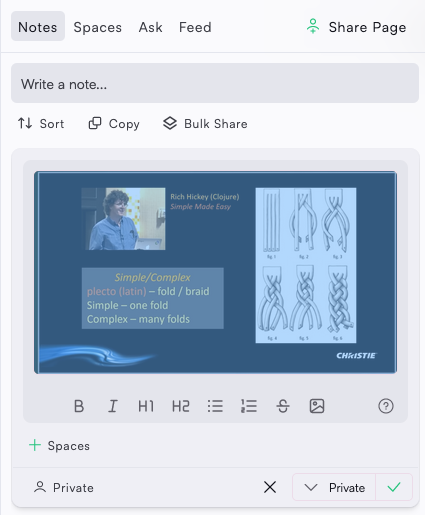
Ideally the view mode has the same image sizing as the edit mode along with an option to zoom in or open and image viewing modal.
Comments8
Anonymous User
Sep 19, 2023
Hi,
Image to annotation comments Memex 3.5.4
On Windows Firefox 117.01 Memex 3.5.4
Image Drag works
Image Paste relatively large size adjusts well even when resizing the sidebar
On Chrome: Memex 3.5.7
Image Drag doesn't work
Image Paste relatively large size adjusts well even when resizing the sidebar
After updating Firefox MEMEX to 3.5.7
Image drag aslo doesn't work!
Anonymous User
Sep 19, 2023
After updating Firefox MEMEX to 3.5.7
Image drag also doesn't work!
as written above DOESN'T TRUE!
I failed to invoke the Edit Note button before dragging into an already made note. Sorry
Oliver Sauter
Sep 18, 2023
On it!
Oliver Sauter
Sep 18, 2023
I tried in various different ways but I can't reproduce this.
I followed the same process than you, making a big screenshot and then pasting it in and drag it in. Both worked fine.
Does that happen for you often?