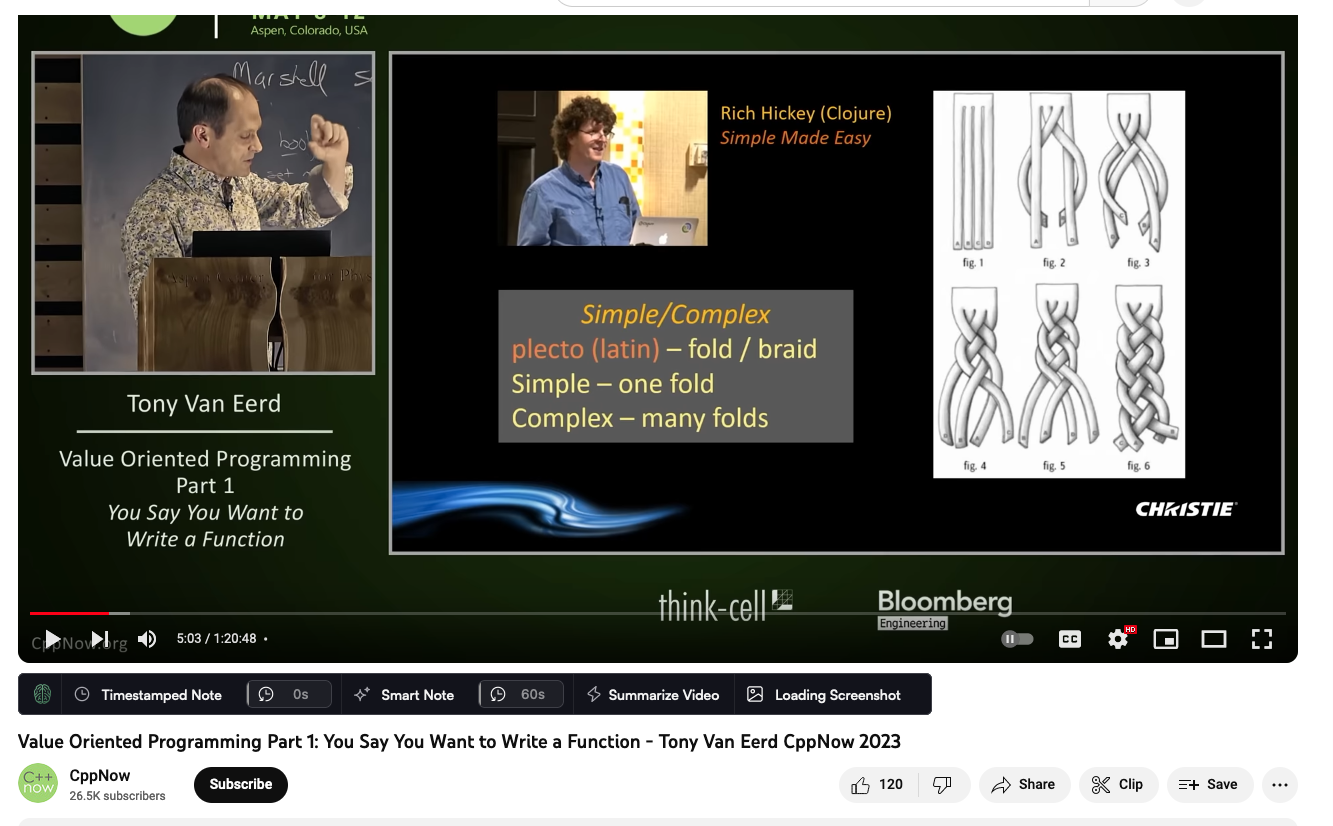
when I click the 'screenshot' button below the video, it doesn't add the screenshot to my annotations and just stays stuck in the "loading screenshot" state.
Now also improved the UX when you add multiple shots + fixed a bunch of drag & drop issues.
Oliver Sauter
Team•
Sep 18, 2023
Can you reproduce this on every video or just this one?
Wesley Finck
•
Sep 18, 2023
I have reproduced it in another video as well. I see the following in the console when I click the screenshot button:
Oliver Sauter
Team•
Sep 18, 2023
Is that clipboard error part of it?
Does it appear when you click on the Screenshot button or just the other one?
Wesley Finck
•
Sep 18, 2023
actually it is just the second one (`e.toDataURL`). Just testing again now.
Anonymous User
•
Sep 19, 2023
Hi,
Firefox v. 117.01
I can reproduce the same error on quite else video. Pressing the Screenshot button hangs up ...Loading Screenshot
Opening the Web Developer Tools and seeing the Console error log after hanging up I could find a similar error message as reported above TypeError: e.toDataURL is not a function content_script.js (any many else errors in content_script.js) However, I did not get NotAllowedError. in base.js
I try to open the Browser Console only and listen to see whether I get an error message when the Screenshot button is pressed I cannot see any error message.
On Chrome
The Screenshot button doesn't hang but nothing is seen neither on the clipboard and the sidebar.
BTW: any of the Video buttons does nothing on both browsers. But that may be another bug report topic.
.
Oliver Sauter
Team•
Sep 23, 2023
I fixed the bug with the loading of screenshots not working on Firefox.
Did the other problems resolve themselves?
I was not able to reproduce that in particular.
Sometimes a reload of the extension works bc there is a random/seldom bug where the background script has troubles re-activating after an extension update.
Comments7
Oliver Sauter
Sep 23, 2023
This is fixed and goes out with the next release.
Now also improved the UX when you add multiple shots + fixed a bunch of drag & drop issues.
Oliver Sauter
Sep 18, 2023
Can you reproduce this on every video or just this one?
Wesley Finck
Sep 18, 2023
I have reproduced it in another video as well. I see the following in the console when I click the screenshot button:
Oliver Sauter
Sep 18, 2023
Is that clipboard error part of it?
Does it appear when you click on the Screenshot button or just the other one?
Wesley Finck
Sep 18, 2023
actually it is just the second one (`e.toDataURL`). Just testing again now.
Anonymous User
Sep 19, 2023
Hi,
Firefox v. 117.01
I can reproduce the same error on quite else video.
Pressing the Screenshot button hangs up ...Loading Screenshot
Opening the Web Developer Tools and seeing the Console error log after hanging up
I could find a similar error message as reported above
TypeError: e.toDataURL is not a function content_script.js
(any many else errors in content_script.js)
However, I did not get NotAllowedError. in base.js
I try to open the Browser Console only and listen to see whether I get an error message when the Screenshot button is pressed I cannot see any error message.
On Chrome
The Screenshot button doesn't hang but nothing is seen neither on the clipboard and the sidebar.
BTW: any of the Video buttons does nothing on both browsers.
But that may be another bug report topic.
.
Oliver Sauter
Sep 23, 2023
I fixed the bug with the loading of screenshots not working on Firefox.
Did the other problems resolve themselves?
I was not able to reproduce that in particular.
Sometimes a reload of the extension works bc there is a random/seldom bug where the background script has troubles re-activating after an extension update.